A service timeout error often leads administrators to reinstall software and move on. But what if the reinstall only masks the real problem? This article explores how driver dependencies, anti-tamper protections, and security control interactions can cause service startup failures, and why understanding the root cause is more valuable than finding a quick fix.
When Reinstalling Isn’t Really the Fix: The Hidden Causes Behind Service Startup Failures
Most IT professionals have experienced it.
A critical management agent stops working, users begin reporting issues, and the service refuses to start. Windows returns a timeout error, logs offer little immediate insight, and after several troubleshooting attempts, a reinstall appears to solve the problem.
Case closed.
Or so it seems.
Over the years, I’ve learned that when a reinstall fixes a problem “too easily,” it’s worth asking a deeper question:
Did the reinstall actually solve the issue, or did it simply reset the conditions that caused it?
Recently, I encountered a service startup failure that reinforced this lesson. What initially looked like a corrupted software installation turned out to be something entirely different.
The Symptom
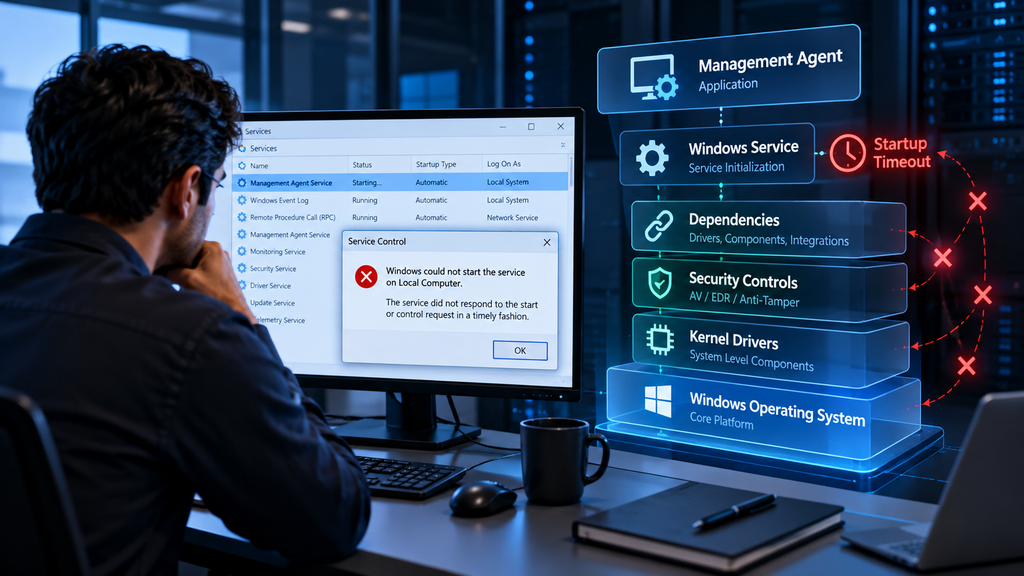
The management agent’s service would not start and consistently failed with a timeout error. Initial assumptions pointed toward a damaged installation, which is often the first conclusion when a service repeatedly refuses to initialize.
Naturally, reinstalling the software was considered. After all, when a reinstall works, it usually provides a quick path back to production.
But before taking that step, it was important to understand what was happening beneath the surface.
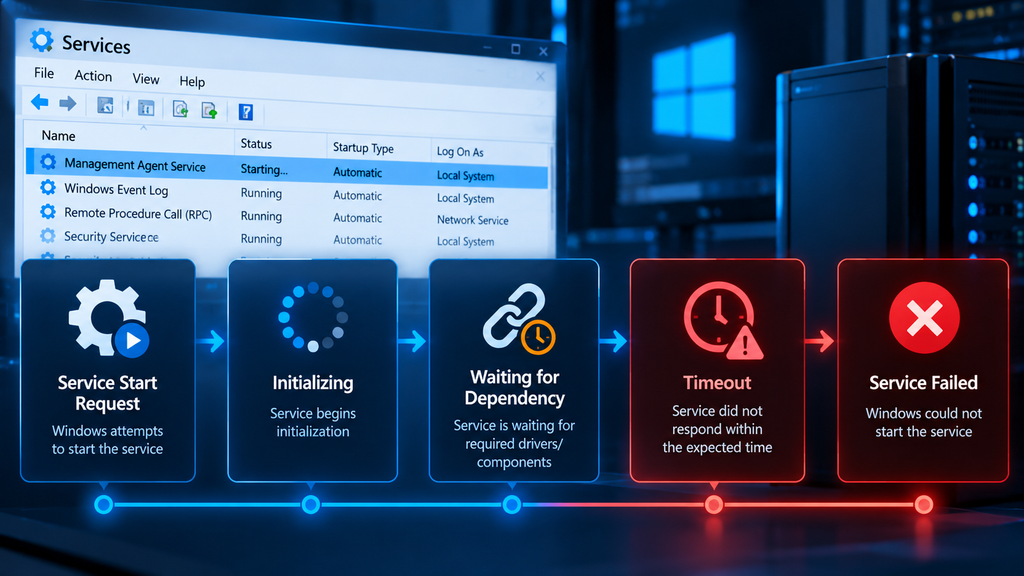
Looking Beyond the Service
One mistake many administrators make is focusing only on the service itself.
Modern endpoint management and security platforms are far more complex than a single Windows service. Behind the scenes, many rely on:
- Kernel-mode drivers
- Monitoring components
- Self-protection mechanisms
- Anti-tamper controls
- Security integrations
If any of those dependencies fail, the service may never start successfully, regardless of how many times it is reinstalled.
Hidden Cause #1: Driver Protection and Anti-Tamper Controls
Many enterprise management platforms include anti-tamper technology to prevent unauthorized modification or termination of critical components.
While this protection strengthens security, it can also create unexpected troubleshooting challenges.
In this case, the service depended on a protected driver operating at the system level. Following operating system changes or periods of inactivity, the driver entered a state that prevented normal initialization. As a result, the service remained waiting for a dependency that never became available and eventually timed out.
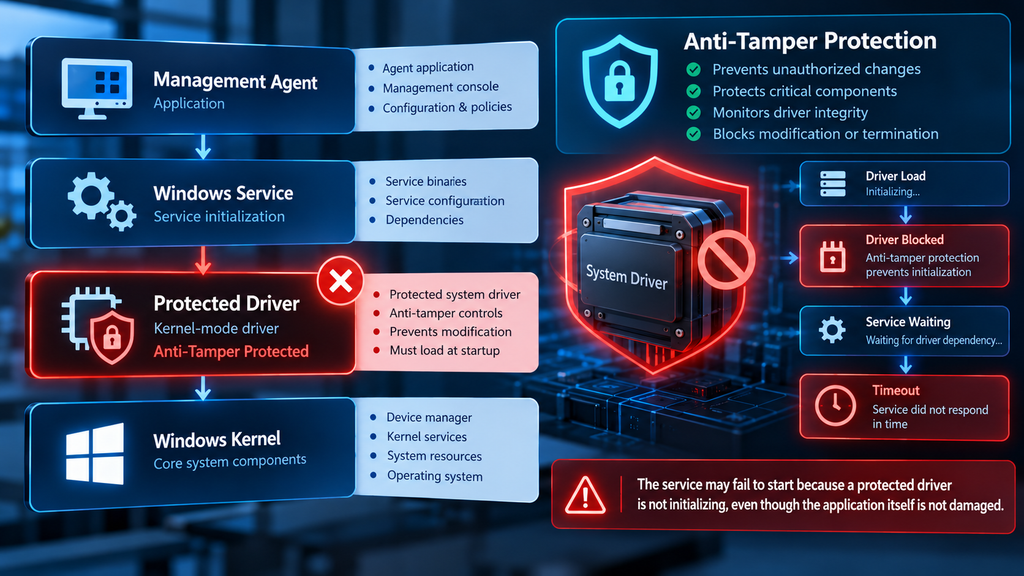
From an administrator’s perspective, the symptoms looked identical to a broken installation:
- Service startup failures
- Timeout errors
- Unresponsive agent behavior
Yet the software itself was not damaged.
The real issue was the state of the underlying driver.
This experience served as an important reminder that a service failure does not necessarily indicate an application failure. Sometimes the root cause exists one layer deeper within the platform’s architecture.
Hidden Cause #2: Security Tools Can Accidentally Become the Problem
The second lesson was equally important.
Security products such as antivirus solutions, endpoint detection and response (EDR) platforms, application control tools, and system hardening policies are designed to protect the environment. However, under certain circumstances, these same controls can interfere with legitimate management agents.
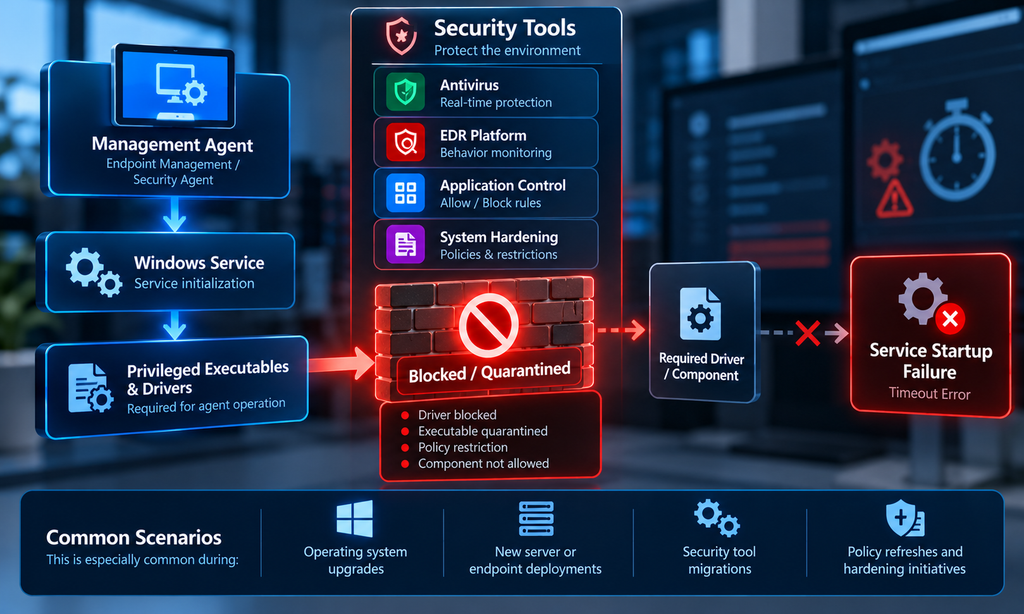
This is especially common during:
- Operating system upgrades
- New server or endpoint deployments
- Security tool migrations
- Policy refreshes and hardening initiatives
Management platforms often depend on drivers and privileged executables that must load correctly during startup. If security controls block, quarantine, or restrict those components, the service may fail with generic timeout errors that offer little insight into the actual cause.
The challenge is that the symptoms can be misleading.
Administrators often see:
- A service that won’t start
- Missing functionality
- Timeout errors
- Apparently corrupted software
As a result, reinstalling becomes the default response.
Sometimes the service starts immediately afterward, creating the impression that the reinstall solved the issue. In reality, the reinstall may simply have re-registered components, temporarily restored dependencies, or reset service interactions before security policies once again affect the environment.
The underlying problem remains unresolved and may return at any time.
The Reinstall Trap
One of the biggest troubleshooting traps in enterprise IT is assuming that because a reinstall worked, the installation itself was the problem.
Reinstallation often resets drivers, services, dependencies, startup sequences, and registrations. While that reset may restore functionality, it can also conceal deeper issues that have not actually been addressed.
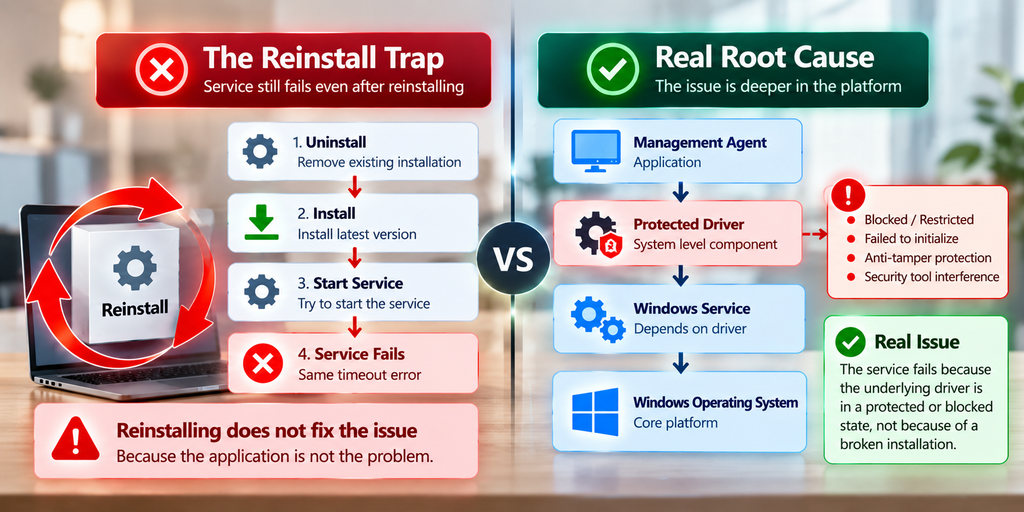
When the true root cause involves:
- Driver initialization failures
- Security policy conflicts
- Protected system components
- Dependency loading failures
- Operating system compatibility issues
the issue may eventually return, often under the same conditions that caused it originally.
That’s why successful troubleshooting requires understanding why the service failed rather than simply restoring functionality.
A Better Troubleshooting Approach
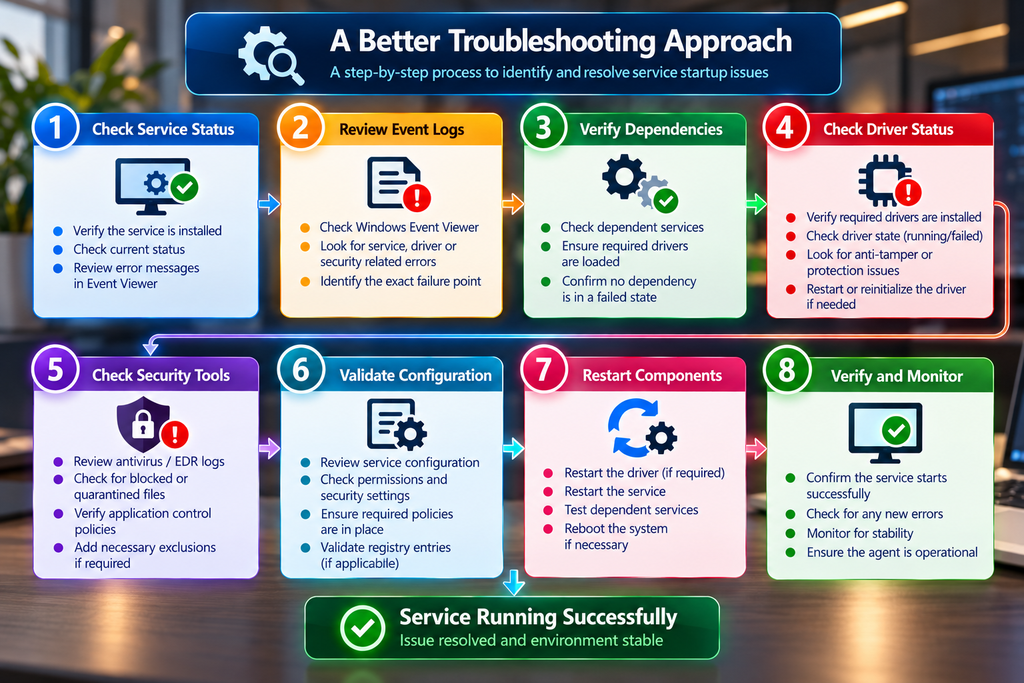
Before reaching for the uninstall button, consider a more structured investigation:
- Verify service dependencies.
- Confirm that required drivers are loaded and operating normally.
- Review endpoint protection and security logs.
- Validate allowlists, exclusions, and policy configurations.
- Examine Windows Event Logs for dependency failures.
- Confirm compatibility with the operating system version.
- Investigate anti-tamper or self-protection mechanisms.
- Perform a reinstall only after underlying causes have been evaluated.
This approach may take additional time, but it is far more likely to uncover the root cause and prevent future incidents.
Final Thoughts
The most valuable troubleshooting lessons often come from incidents that initially seem straightforward.
What appeared to be a simple service startup failure ultimately revealed a broader lesson about modern endpoint management and security platforms. Services no longer operate in isolation. Drivers, security controls, self-protection mechanisms, and operating system components all play a role in determining whether an application starts successfully.
The next time a service fails and a reinstall appears to solve the problem, pause for a moment and ask:
Did the reinstall fix the issue, or did it simply reset the symptoms?
The answer may uncover a deeper root cause, improve long-term stability, and save countless hours of future troubleshooting.
Key Takeaway
A successful reinstall is not proof of a successful diagnosis. In many cases, it merely resets the environment. The real value lies in discovering the dependency, protection mechanism, or security control that caused the failure in the first place.